728x90
반응형

문제

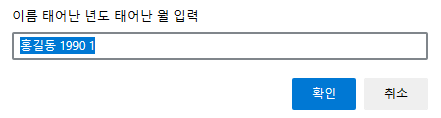
  1.  prompt를 이용해서 이름(홍길동)과 태어난 년, 월을 입력 받아서 현재 년도와 월을 구해서 나이를 구하시오.
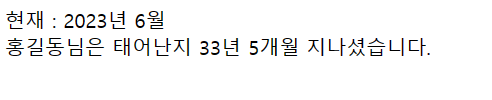
  2. "홍길동님은 태어난지 00년 00개월 지나셨습니다." 출력
  3. document.write 로 출력하시오. (파란색, 폰트크기 20px)


코드

<script>
    var birth = prompt("이름 태어난 년도 태어난 월 입력","홍길동 1990 1").split(" ");

    var time = new Date();
    var year = time.getFullYear()-birth[1];
    var month = (time.getMonth()+1) - birth[2];
    if(month < 0){
        month+=12;
        year--;
    }

    document.write("현재 : "+time.getFullYear()+"년 "+(time.getMonth()+1)+"월<br>");
    document.write(birth[0]+"님은 태어난지 "+year+"년 "+ month+"개월 지나셨습니다.");
</script>
  • 현재의 월보다 더 나중에 태어난 경우, month는 음수의 값이 나온다.
  • 12개월이 기준이기 때문에 month에 12을 더해주고, year 값을 하나 빼주면 태어난 년과 월을 구할 수 있다.


출력 결과

▶ 현재의 월보다 앞의 월에 태어난 경우


 현재의 월보다 뒤에 월에 태어난 경우


728x90
반응형
728x90
반응형

문제

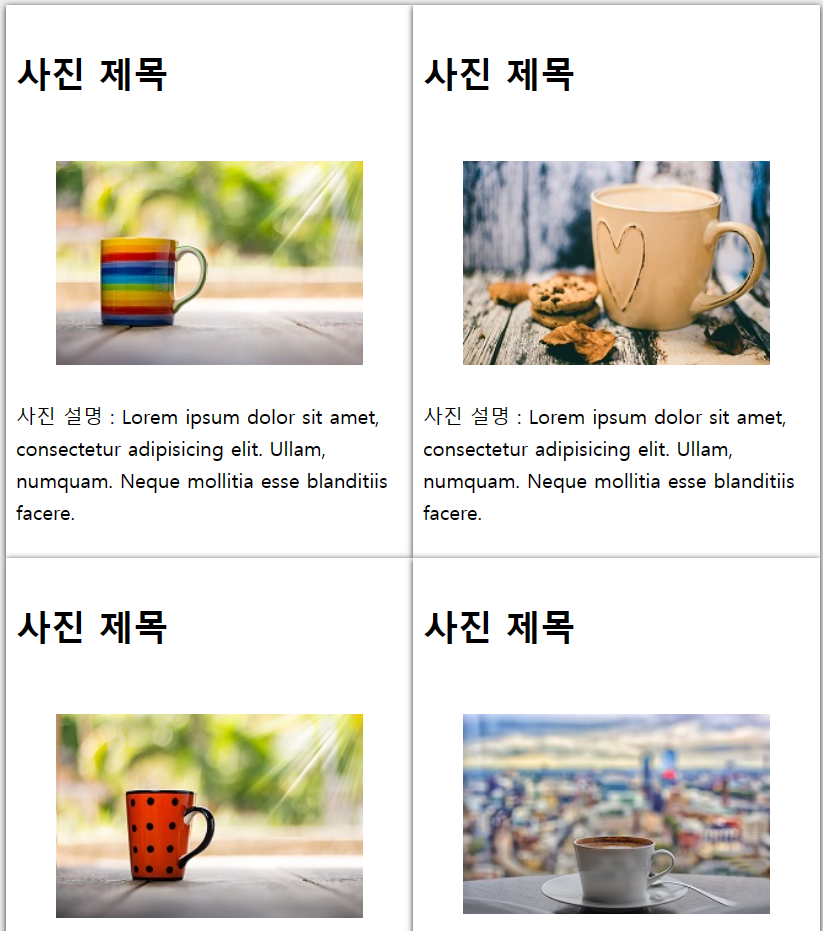
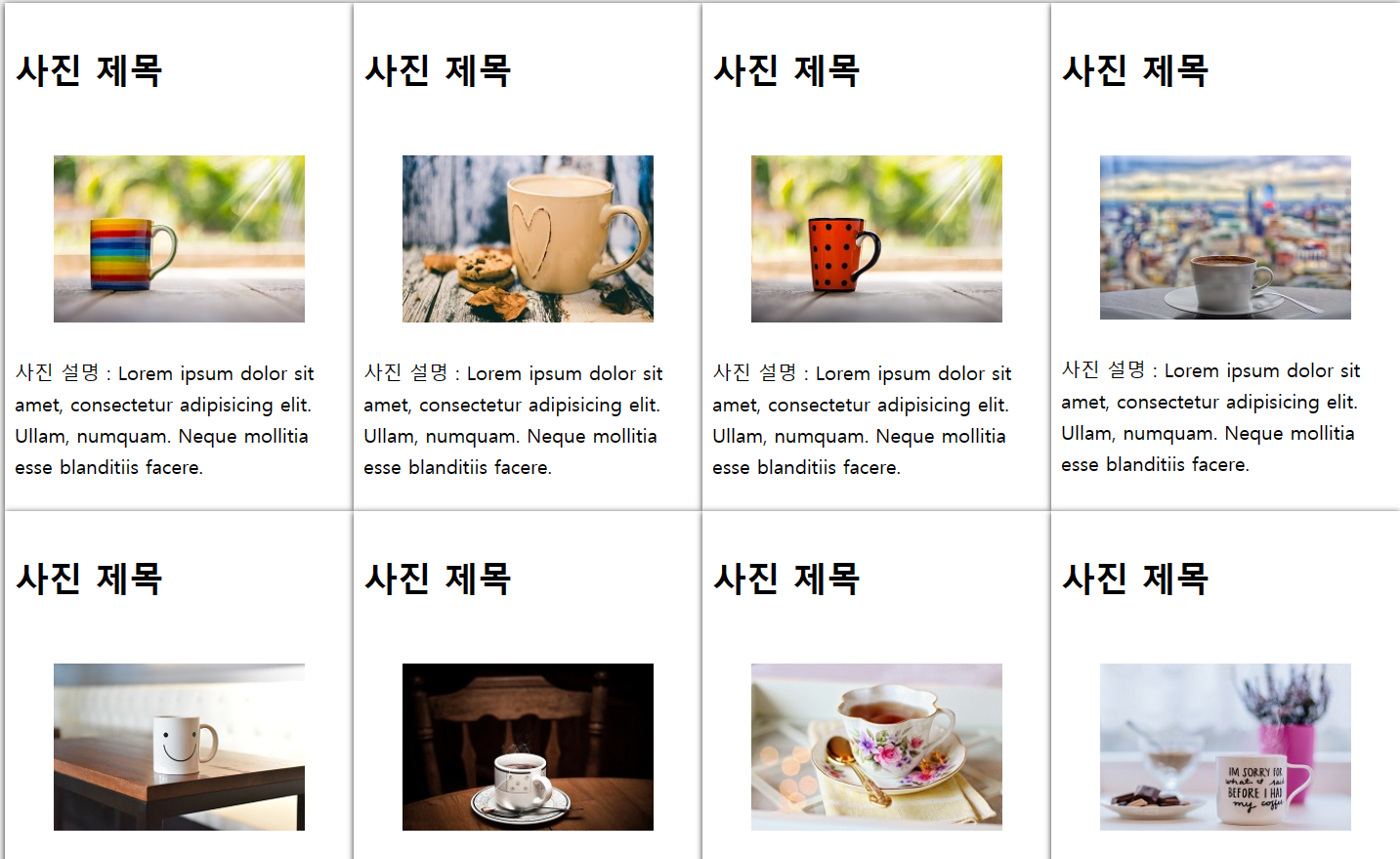
주어진 코드를 이용하여 창의 넓이에 따라 사진의 갯수를 다르게 출력하시오.


▶ 변경 전 화면


▶ 변경 후 화면


코드

    #wrapper {
      display: grid;
      grid-template-columns: repeat(auto-fit, minmax(250px, 1fr));
    }
  • auto-fit을 이용하여 화면에 이미지 카드를 가득 채운다.


전체 코드

<!DOCTYPE html>
<html lang="en">
<head>
  <meta charset="UTF-8">
  <meta name="viewport" content="width=device-width, initial-scale=1">
  <title>상품 갤러리 만들기</title>
  <style>
    * {
      box-sizing: border-box;      
    }
    body {
      background-color:#eee;
      font-size:16px;     
    }
    #wrapper {
      display: grid;
      grid-template-columns: repeat(auto-fit, minmax(250px, 1fr));
    }
    .card {
      background-color:#fff;
      box-shadow:0px 1px 5px #222;
    }
    .card > header {
      font-size:1.5rem;
      padding:0.5rem;
    }
    .card > p {
      padding:0.5rem;
      line-height:1.6em;
    }
    img {
      max-width:100%;
    }
  </style>
</head>
<body>
  <div id="wrapper">
    <div class="card">
      <header>
        <h3>사진 제목</h3>
      </header>
      <figure>
        <img src="../imagesCup/cup-1.jpg">
      </figure>
      <p>사진 설명 : Lorem ipsum dolor sit amet, consectetur adipisicing elit. Ullam, numquam. Neque mollitia esse blanditiis facere.</p>
    </div>

    <div class="card">
      <header>
        <h3>사진 제목</h3>
      </header>
      <figure>
        <img src="../imagesCup/cup-2.jpg">
      </figure>
      <p>사진 설명 : Lorem ipsum dolor sit amet, consectetur adipisicing elit. Ullam, numquam. Neque mollitia esse blanditiis facere.</p>
    </div>

    <div class="card">
      <header>
        <h3>사진 제목</h3>
      </header>
      <figure>
        <img src="../imagesCup/cup-3.jpg">
      </figure>
      <p>사진 설명 : Lorem ipsum dolor sit amet, consectetur adipisicing elit. Ullam, numquam. Neque mollitia esse blanditiis facere.</p>
    </div> 
    
    <div class="card">
      <header>
        <h3>사진 제목</h3>
      </header>
      <figure>
        <img src="../imagesCup/cup-4.jpg">
      </figure>
      <p>사진 설명 : Lorem ipsum dolor sit amet, consectetur adipisicing elit. Ullam, numquam. Neque mollitia esse blanditiis facere.</p>
    </div>     

    <div class="card">
        <header>
          <h3>사진 제목</h3>
        </header>
        <figure>
          <img src="../imagesCup/cup-5.jpg">
        </figure>
        <p>사진 설명 : Lorem ipsum dolor sit amet, consectetur adipisicing elit. Ullam, numquam. Neque mollitia esse blanditiis facere.</p>
      </div>
  
      <div class="card">
        <header>
          <h3>사진 제목</h3>
        </header>
        <figure>
          <img src="../imagesCup/cup-6.jpg">
        </figure>
        <p>사진 설명 : Lorem ipsum dolor sit amet, consectetur adipisicing elit. Ullam, numquam. Neque mollitia esse blanditiis facere.</p>
      </div>
  
      <div class="card">
        <header>
          <h3>사진 제목</h3>
        </header>
        <figure>
          <img src="../imagesCup/cup-7.jpg">
        </figure>
        <p>사진 설명 : Lorem ipsum dolor sit amet, consectetur adipisicing elit. Ullam, numquam. Neque mollitia esse blanditiis facere.</p>
      </div> 
      
      <div class="card">
        <header>
          <h3>사진 제목</h3>
        </header>
        <figure>
          <img src="../imagesCup/cup-8.jpg">
        </figure>
        <p>사진 설명 : Lorem ipsum dolor sit amet, consectetur adipisicing elit. Ullam, numquam. Neque mollitia esse blanditiis facere.</p>
      </div>        
  </div>
</body>
</html>
728x90
반응형

'HRD_훈련 > HTML&CSS' 카테고리의 다른 글

[CSS] (30일차)  (0) 2023.06.27
[CSS] (29일차)  (0) 2023.06.26
[CSS] 3일차 (28일차)  (0) 2023.06.23
[CSS] 2일차 (27일차)  (0) 2023.06.22
[CSS] CSS 스타일 속성 (26일차)  (0) 2023.06.21
728x90
반응형

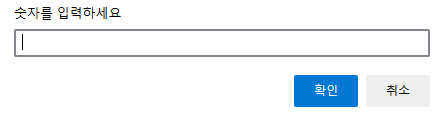
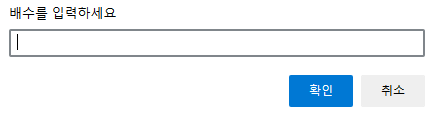
문제

숫자와 배수를 입력받아 배수의 개수를 출력하시오.


▶ 코드

<script>
    var num1 = prompt("숫자를 입력하세요");
    var num2 = prompt("배수를 입력하세요");
    checkNumber(num1, num2);
    function checkNumber(num1, num2){
        var count=0;
        for(var i=1;i<=num1;i++){
            if(i%num2==0){
                count++;
            }
        }
        document.write(num1+"에서 "+num2+"의 배수는 "+count+"개 입니다.");
    }
</script>
    checkNumber(num1, num2);
    function checkNumber(num1, num2){
        var num3 = num1/num2;
        document.write(num1+"에서 "+num2+"의 배수는 "+parseInt(num3)+"개 입니다.");;
    }
  • 숫자를 배수로 나누고, 몫만 이용하는 방법으로도 가능하다.


▶ 출력 결과


728x90
반응형
728x90
반응형

문제 1

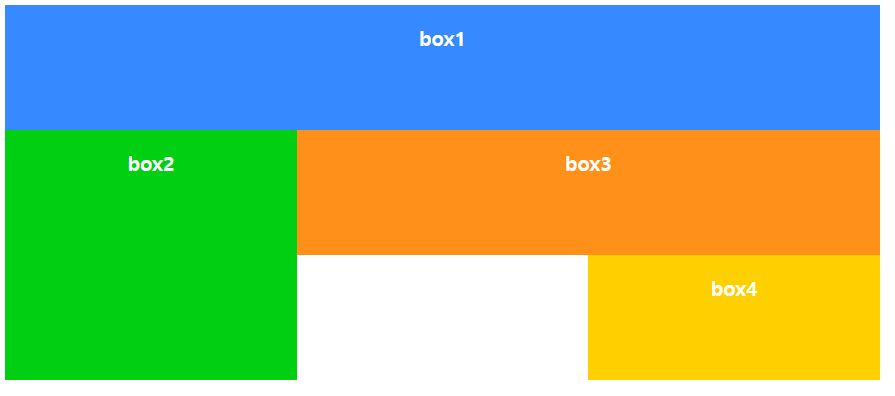
그리드를 이용하여 해당 화면을 출력하는 코드를 작성하시오.


▶ 코드

<!DOCTYPE html>
<html lang="ko">
<head>
  <meta charset="UTF-8">
  <meta name="viewport" content="width=device-width, initial-scale=1">
  <title>CSS Grid Layout</title>
  <style>
    #wrapper{
      width:700px;
      display:grid;
      grid-template-columns:repeat(3, 1fr);
      grid-template-rows:repeat(3, 100px);
    }
    .box{
      padding:15px;
      color:#fff;
      font-weight:bold;
      text-align:center;
    }   
    .box1 {
      background-color:#3689ff;
      grid-column: 1/4;
      /* 1부터 4까지 */
    }
    .box2 {
      background-color:#00cf12;
      grid-column-start: 1;
      grid-row: 2/4;
    }
    .box3 {
      background-color:#ff9019;
      grid-column: 2/4;
    }
    .box4 {
      background-color:#ffd000;
      grid-column-start: 3;
    }
  </style>
</head>
<body>
  <div id="wrapper">
    <div class="box box1">box1</div>
    <div class="box box2">box2</div>
    <div class="box box3">box3</div>
    <div class="box box4">box4</div>
  </div>
</body>
</html>


문제 2

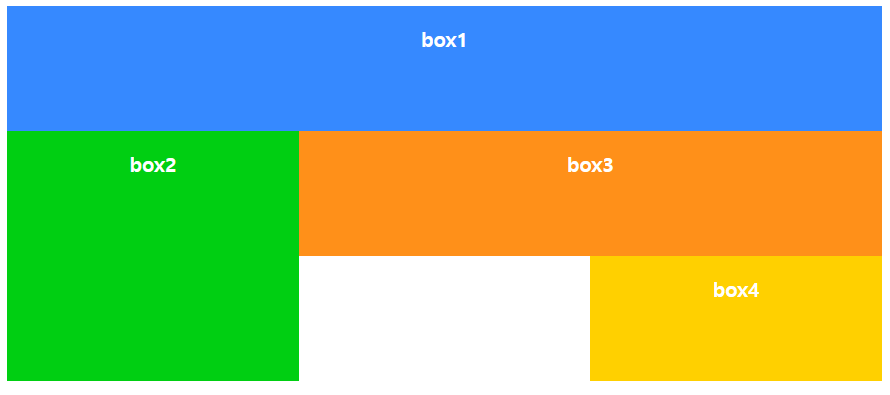
그리드를 이용하여 해당 화면을 출력하는 코드를 작성하시오.


▶ 코드

<!DOCTYPE html>
<html lang="ko">
<head>
  <meta charset="UTF-8">
  <meta name="viewport" content="width=device-width, initial-scale=1">
  <title>CSS Grid Layout</title>
  <style>
    #wrapper{
      width:700px;
      display:grid;
      grid-template-columns:repeat(3, 1fr);
      grid-template-rows:repeat(3, 100px);
    }
    .box{
      padding:15px;
      color:#fff;
      font-weight:bold;
      text-align:center;
    }   
    .box1 {
      background-color:#3689ff;
      grid-column: 1/3;
    }
    .box2 {
      background-color:#00cf12;
      grid-column-start: 1;
      grid-row: 2/4;
    }
    .box3 {
      background-color:#ff9019;
      grid-column: 3/4;
    }
    .box4 {
      background-color:#ffd000;
      grid-column-start: 3;
      grid-row: 2/4;
    }
  </style>
</head>
<body>
  <div id="wrapper">
    <div class="box box1">box1</div>
    <div class="box box2">box2</div>
    <div class="box box3">box3</div>
    <div class="box box4">box4</div>
  </div>
</body>
</html>


문제 3

그리드의 area를 이용하여 해당 화면을 출력하는 코드를 작성하시오.

<!DOCTYPE html>
<html lang="ko">
<head>
  <meta charset="UTF-8">
  <meta name="viewport" content="width=device-width, initial-scale=1">
  <title>CSS Grid Layout</title>
  <style>
    #wrapper{
      width:700px;
      display:grid;
      grid-template-columns:repeat(3, 1fr);
      grid-template-rows:repeat(3, 100px);
      grid-template-areas: 
        "box1 box1 box1"
        "box2 box3 box3"
        "box2 . box4"
      ;
      /* "box1 box1 box1"
      명시적으로 박스 위치를 나타낼 수 있다. */
    }
    .box{
      padding:15px;
      color:#fff;
      font-weight:bold;
      text-align:center;
    }   
    .box1 {
      background-color:#3689ff;
      grid-area: box1;
      /* 클래스의 이름이 아닌 grid-area: 의 이름을 사용한다. */
    }
    .box2 {
      background-color:#00cf12;
      grid-area: box2;
    }
    .box3 {
      background-color:#ff9019;
      grid-area: box3;
    }
    .box4 {
      background-color:#ffd000;
      grid-area: box4;
    }
  </style>
</head>
<body>
  <div id="wrapper">
    <div class="box box1">box1</div>
    <div class="box box2">box2</div>
    <div class="box box3">box3</div>
    <div class="box box4">box4</div>
  </div>
</body>
</html>


728x90
반응형
728x90
반응형

문제 1

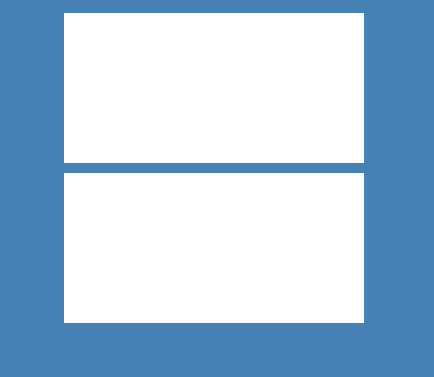
해당 화면을 출력하는 코드를 작성하시오.

  • 두 개의 창을 화면에 띄우시오.
  • 창의 크기가 768px ~ 1400px 사이일 때 창이 잘리지 않고 출력되어야 한다.


▶ 코드

<!DOCTYPE html>
<html lang="en">
<head>
    <meta charset="UTF-8">
    <meta name="viewport" content="width=device-width, initial-scale=1.0">
    <title>창띄우기</title>
    <style>
        body {
            background-color: steelblue;
            text-align: center;
        }
        .box1 {
            width: 400px;
            height: 200px;
            background-color: white;
            margin: 10px 20px auto;
            display: inline-block;
        }
        @media screen and (max-width: 768px) and (min-width: 1400px) {
            .box1 {
                width: 400px;
                height: 200px;
                background-color: white;
                margin: 10px 20px auto;
            }
        }
    </style>
</head>
<body>
    <div id="container">
        <div class="box1"></div>
        <div class="box1"></div>
    </div>
</body>
</html>


문제 2

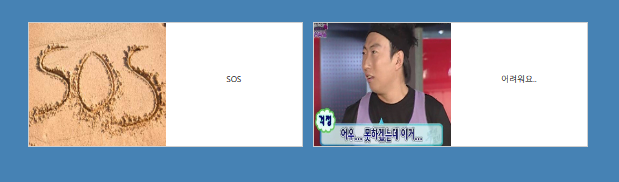
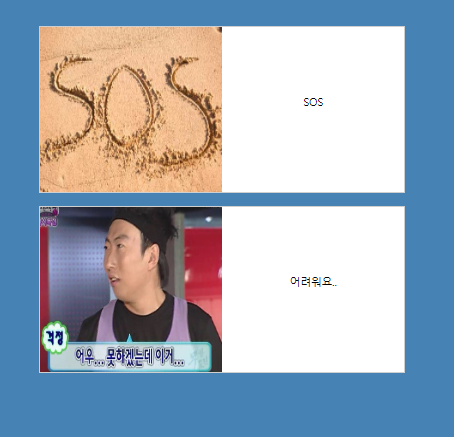
  • 창의 왼쪽에는 사진, 오른쪽에는 텍스트를 출력하시오.
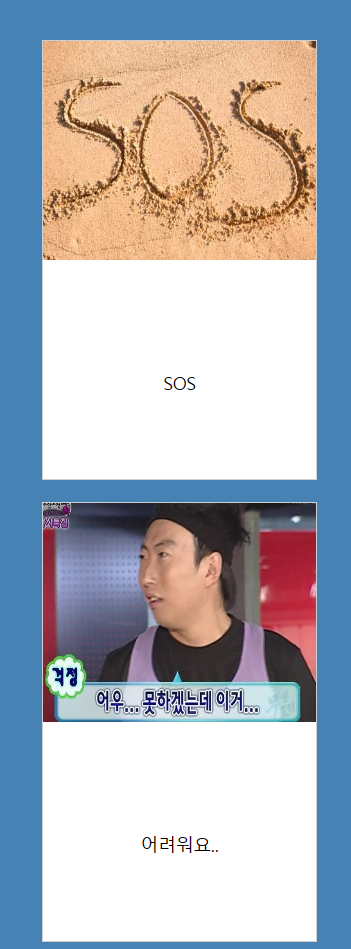
  • 창의 크기가 768px이하일 때 세로로 창이 출력되며, 창의 윗 부분에는 사진 아래쪽에는 텍스트를 출력하시오.


▶ 코드

<!DOCTYPE html>
<html lang="ko">
<head>
  <meta charset="UTF-8">
  <meta name="viewport" content="width=device-width, initial-scale=1.0">
  <title>그림띄우기</title>
  <link rel="stylesheet" href="mq3_2_style.css">
</head>
<body>
  <div id="container">
    <div class="card">
      <img src="../img/sos.jpg"></img>
      <div class="words">SOS</div>            
    </div>
    <div class="card">
      <img src="../img/mudo2.jpg">
      <div class="words">어려워요..</div>            
    </div>            
  </div>
</body>
</html>

* {
    margin:0;
    padding:0;
    box-sizing: border-box;
}
body {
    background:steelblue;
}
#container {
    width:1140px;
    margin:50px auto;
}    
.card {
    float:left; 
    width:550px;
    height:250px;
    margin:10px;
    border:1px solid #0f0f0f33;
    background-color:#ffffff; 
    text-align: center;
}
img {
    float: left;
    width: 50%;
    height: 100%;
}
.words {
    margin-top: 100px;
}
@media screen and (min-width:768px) and (max-width:1400px) {
    #container {
        width:570px;        
        margin:50px auto;
    }
    .card { 
        float:left; 
        width:550px;
        height:250px;
        margin:10px;
        border:1px solid #0f0f0f33;
        background-color:#ffffff; 
        text-align: center;
    }
    img {
        float: left;
        width: 50%;
        height: 100%;
    }
    .words {
        margin-top: 100px;
    }
}
@media screen and (max-width:768px) {
    #container {
        width:250px;        
        margin:50px auto;
        margin-left: 150px;
        text-align: center;
    }
    .card { 
        float:left; 
        width:250px;
        height:400px;
        margin:10px;
        border:1px solid #0f0f0f33;
        background-color:#ffffff; 
        text-align: center;
    }
    img {
        float: left;
        width: 100%;
        height: 50%;
    }
    .words {
        margin-top: 300px;
        width: auto;
        text-align:center;   
    }
}


▶ 출력 결과


728x90
반응형

'HRD_훈련 > 실습' 카테고리의 다른 글

[JavaScript] 배수의 개수 구하기 (31일차)  (0) 2023.06.28
[CSS] grid 실습 (30일차)  (0) 2023.06.27
[CSS] 프롬포트 실습 (29일차)  (0) 2023.06.26
[CSS] 선택자 실습 (29일차)  (0) 2023.06.26
[CSS] 컬러 실습 (29일차)  (0) 2023.06.26

+ Recent posts