package java_practice;

import java.awt.*;	//window 예제를 위해 창을 만드는 Frame을 사용한다.
import java.awt.event.*; //이벤트를 처리하는 인터페이스와 클래스

public class Test01_window extends Frame implements WindowListener{
	//생성자
	public Test01_window() {
		super("인터페이스를 이용하여 창 종료");//첫 줄에 기재하여 상위 클래스 생성자 호출
		setBackground(Color.pink);//super(또는 this).setBackground();와 같은 실행을 한다.
		addWindowListener(this);
		setSize(700,500);//가로:700, 세로:500
		setVisible(true);
	}//Test01_window_end


	//인터페이스의 추상 메소드 오버라이딩.
	//추상 메소드를 오버라이딩하지 않으면 오류가 난다. 인터페이스의 메소드는 모두가 추상이기 때문에 반드시 모두 오버라이딩 해야 한다.
	public void windowClosing(WindowEvent e) {
		//dispose();//리소스 반환
		System.exit(0);//프로그램 종료. X를 누르면 종료됨
	}
	public void windowOpened(WindowEvent e) {}
	public void windowClosed(WindowEvent e) {}
	public void windowIconified(WindowEvent e) {}
	public void windowDeiconified(WindowEvent e) {}
	public void windowActivated(WindowEvent e) {}
	public void windowDeactivated(WindowEvent e) {}


	public static void main(String[] args) {
		new Test01_window();
	}//main_end
}//class_end
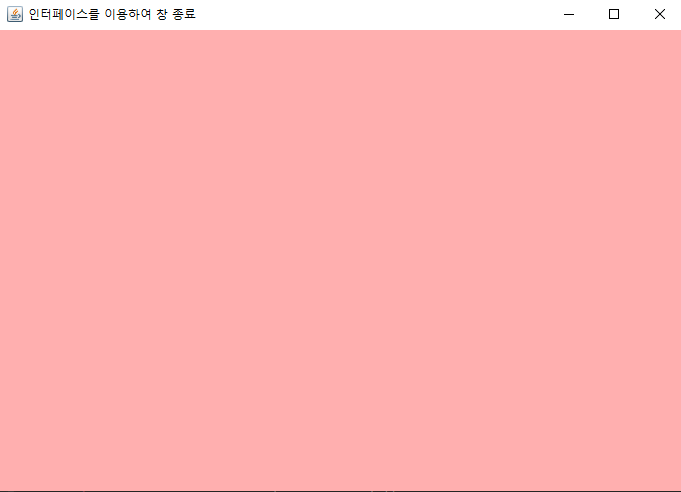
출력 결과
2) inner class를 사용하여 WindowAdapter 클래스를 상속해 창을 종료해 보자.
public class Test02_window extends Frame {
	//생성자
	public Test02_window(){
		super("inner class를 사용하여 WindowAdapter 클래스를 상속해 창 종료");
		setBackground(Color.darkGray);
		addWindowListener(new MyWin());
		setSize(800,800);//가로:700, 세로:500
		setVisible(true);
	}//Test02_window_end


	//창을 종료하는 inner 클래스. 클래스는 7개를 다 오버라이딩하지 않아도 된다.
	class MyWin extends WindowAdapter{
		public void windowClosing(WindowEvent w){
			System.exit(0);//프로그램 종료
		}
	}//MyWin_end


	public static void main(String[] args) {
		new Test02_window();
	}//main_end
}//class_end
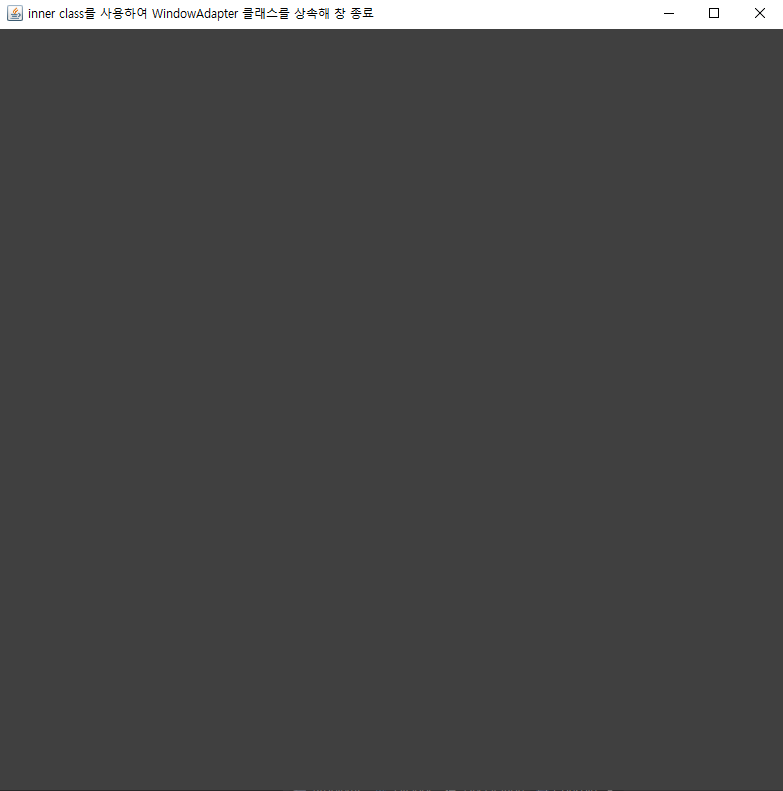
출력 결과
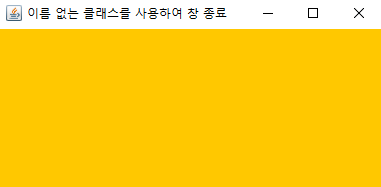
3) 이름이 없는 클래스를 사용하여 창을 종료해 보자
public class Test03_anonymous extends Frame{
	//생성자
	public Test03_anonymous(){
		super("이름 없는 클래스를 사용하여 창 종료");
		setBackground(Color.orange);
		setSize(400,200);
		setVisible(true);

		//이름 없는 클래스
		addWindowListener(new WindowAdapter(){
			//오버라이딩
			public void windowClosing(WindowEvent w){
				System.exit(0);
			}
		});
	}//Test03_anonymous_end


	public static void main(String[] args) {
		new Test03_anonymous();
	}//main_end
}//class_end
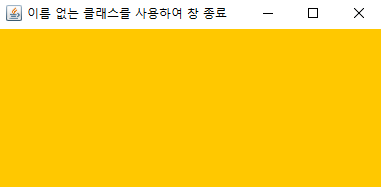
출력 결과
※ 같은 패키지에서 다른 클래스를 호출할 수 있다.
package java_practice;	//같은 패키지

public class Test_window {
	public static void main(String[] args) {
		new Test03_anonymous();
	}//main_end
}//clase_end
출력 결과
2. AWT를 이용한 이미지 출력
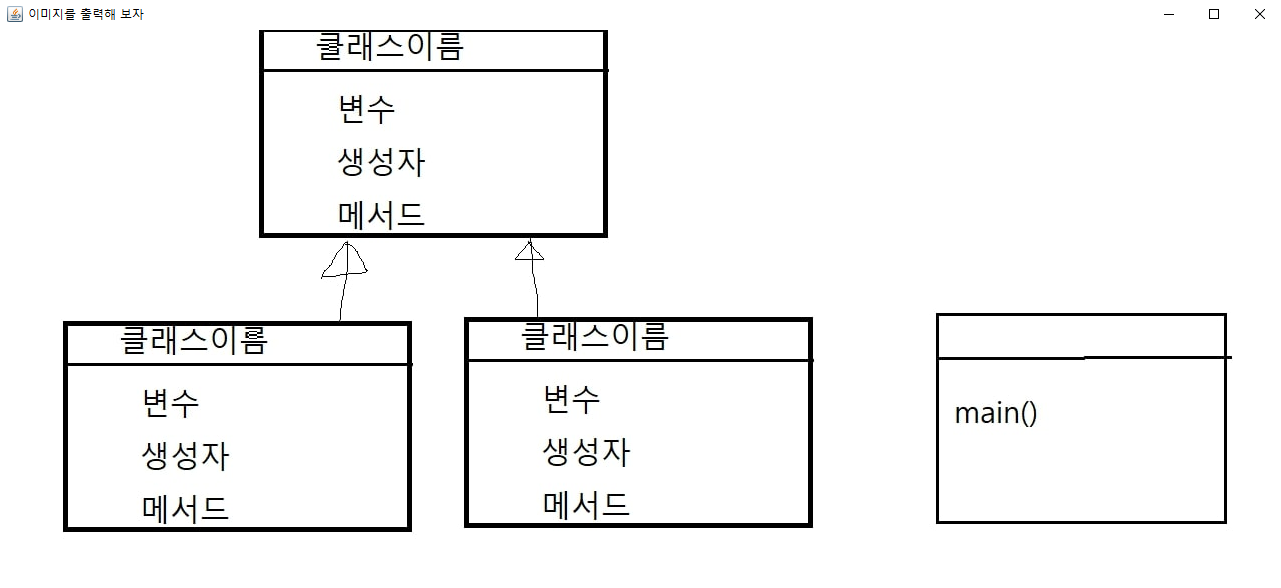
1) jpg 파일 출력
▶ jpg 파일 저장
C:\imgs\image.jpg
▶ 코드 작성
public class Test04_img extends Frame{
	//변수
	Image img;

	//생성자
	public Test04_img(){
		super("이미지를 출력해 보자");
		img=Toolkit.getDefaultToolkit().getImage("C:\\imgs\\image.jpg");//윈도우는 \를 2개 써야 한다.

		setSize(1300,600);
		setVisible(true);
		addWindowListener(new MyWin());
	}//Test04_img_end


	//메소드 paint(Graphics g)
	public void paint(Graphics g){
		g.drawImage(img, 50, 20, this);//x:50, y:20, this:여기에 출력한다.
	}


	//창을 종료하는 inner 클래스
	class MyWin extends WindowAdapter{
		public void windowClosing(WindowEvent w){
			System.exit(0);//프로그램 종료
		}
	}//MyWin_end


	public static void main(String[] args) {
		new Test04_img();
	}//main_end
}//class_end
▶ 출력
출력 결과
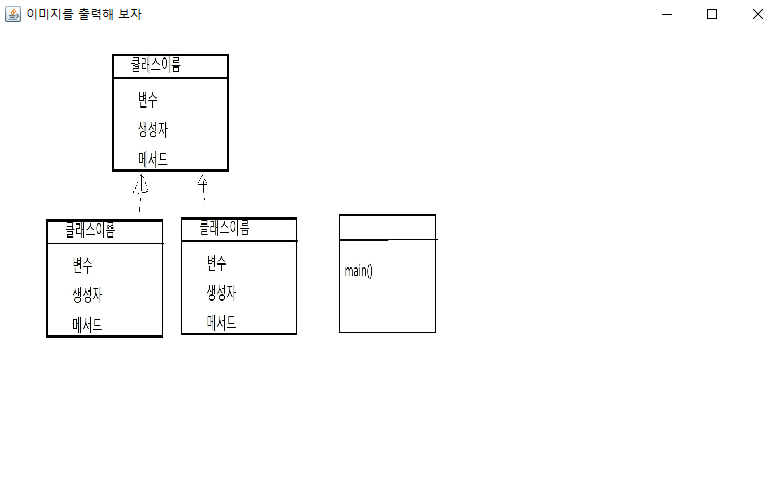
2) 이미지 크기를 줄여서 출력
	//변수
	Image img;

	//디폴트 생성자
	public Test04_img(){
		super("이미지를 출력해 보자");
		img=Toolkit.getDefaultToolkit().getImage("C:\\imgs\\image.jpg");//윈도우는 \를 2개 써야 한다.

		setSize(800,500);
		setVisible(true);
		addWindowListener(new Mywin());
	}//Test04_img_end


	//메소드 paint(Graphics g)
	public void paint(Graphics g){
		//g.drawImage(img, 50, 20, this);//x:50, y:20, this:여기에 출력한다.
		g.drawImage(img, 50, 50, 400, 300, this);//width:300, height:200
	}//paint_end


	//창을 종료하는 inner 클래스
	class Mywin extends WindowAdapter{
		public void windowClosing(WindowEvent w){
			System.exit(0);//프로그램 종료
		}
	}//Mywin_end


	public static void main(String[] args) {
		new Test04_img();
	}//main_end
출력 결과
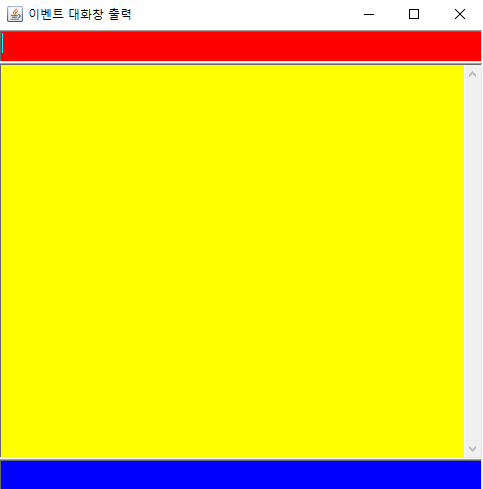
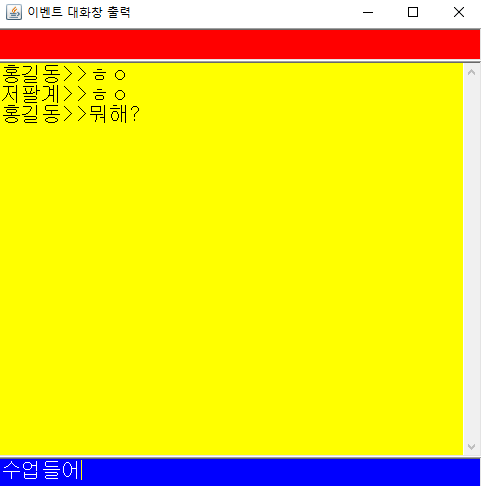
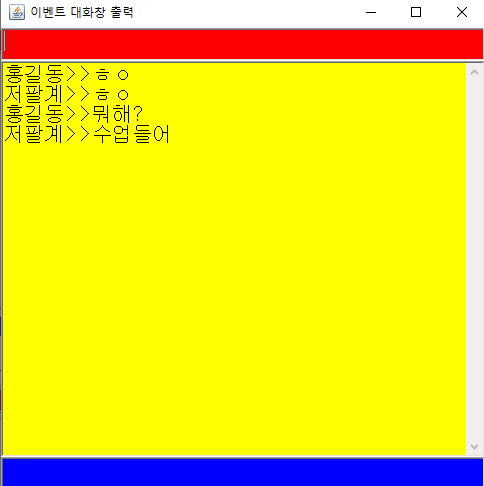
3. 대화창 만들기
▶ 코드 작성
public class Test05_event extends Frame implements ActionListener{
	//변수
	TextField tf1,tf2;
	TextArea ta;

	//생성자
	public Test05_event(){
		super("이벤트 대화창 출력");//첫 줄에 기재하여 상위 클래스 생성자 호출

		tf1=new TextField();//객체 생성
		tf2=new TextField();//객체 생성
		ta=new TextArea();//객체 생성

		//배경 색상
		tf1.setBackground(Color.red);
		tf2.setBackground(Color.blue);
		ta.setBackground(Color.yellow);

		//글자 색상
		tf1.setForeground(Color.white);
		tf2.setForeground(Color.white);

		//폰트 설정
		tf1.setFont(new Font("Dialog", Font.BOLD, 20));//폰트 설정:BOLD(굵게), 폰트 크기:20
		tf2.setFont(new Font("Dialog", Font.PLAIN, 20));//폰트 설정:PLAIN, 폰트 크기:20
		ta.setFont(new Font("Dialog", Font.PLAIN, 20));//폰트 설정:PLAIN, 폰트 크기:20


		//Frame 컨테이너에 컴포넌트 붙이기
		add(tf1,"North");//위에 위치. North의 N은 대문자로 작성
		add(tf2,"South");//밑에 위치. South의 S은 대문자로 작성
		add(ta,"Center");//가운데에 위치. Center의 C은 대문자로 작성


		//이벤트 등록
		this.addWindowListener(new MyWin());
		tf1.addActionListener(this);
		tf2.addActionListener(this);

		addWindowListener(new MyWin());
		setSize(500,500);
		setVisible(true);

	}//Test05_event(cons_end)


	//inner class
	class MyWin extends WindowAdapter{
		//오버라이딩
		public void windowClosing(WindowEvent w){
			System.exit(0);//프로그램
		}
	}//Mywin_end


	//메소드 오버라이딩
	public void actionPerformed(ActionEvent e){
		if(e.getSource()==tf1){
			String msg="홍길동>>"+tf1.getText();//지역 변수 메세지. 받아온 text를 입력
			ta.append(msg+"\n");
			tf1.setText("");//tf1 내용 지움
			tf2.requestFocus();//tf2으로 포커스 이동
		}
		else if(e.getSource()==tf2){
			String msg="저팔계>>"+tf2.getText();//지역 변수 메세지. 받아온 text를 입력
			ta.append(msg+"\n");
			tf2.setText("");//tf2 내용을 지움
			tf1.requestFocus();//tf1으로  포커스 이동
		}
	}


	public static void main(String[] args) {
		new Test05_event();
	}//main_end
}//class_end
		//알파벳 문자와 아스키 코드를 이용한 출력
		char[] alphabets=new char[26];
		char a='a';

		//소문자 값을 배열에저장
		for(int row=0;row<alphabets.length;row++,a++)
			alphabets[row]=a;

		//저장된 a~z 출력
		for(int row=0;row<alphabets.length;row++)
			System.out.print(alphabets[row]);;
		System.out.println(); //줄바꿈


		//저장된 소문자를 대문자로 변경
		for(int row=0;row<alphabets.length;row++)
			for(int i=0;i<32;i++)//alphabets[row]-=32;는 오류가 나서 반복문을 사용함
				alphabets[row]--;

		//출력
		for(int row=0;row<alphabets.length;row++)
			System.out.print(alphabets[row]);;
		String s = new String();
		char ch2='A';

		for(int row=0;row<26;row++,ch2++)
			s= s+ch2;

		System.out.println(s);//저장된 문자열 출력

		s=s.toLowerCase(); //소문자로 변환
		System.out.println(s);

		s=s.toUpperCase(); //대문자로 변환
		System.out.println(s);
		int num[]=new int[6]; //로또 번호 6개 선택
		Scanner scan=new Scanner(System.in);

		System.out.println("★★★★★★★★★★★로또 당첨을 기원합니다★★★★★★★★★★★");
		System.out.println("----------------------------------------");

		int automatic=2;
		//로또 번호 수동/자동 출력 선택
		while(true){
			System.out.print("수동을 원하시면 0, 자동을 원하시면 1을 입력하세요 >> ");
			automatic=scan.nextInt();

			if(automatic==0 || automatic==1)
				break; //무한 루프 종료
			else
				System.out.println("잘못 입력하셨습니다.다시 입력해주세요.");
		}
2-1. 수동으로 로또 번호 입력
		if(automatic==0){
			System.out.println("----------------------------------------");
			for(int i=0;i<num.length;i++){
				System.out.printf("%d번 로또 번호를 입력하세요:",i+1);
				num[i]=scan.nextInt();
				if(num[i]<=0 || num[i]>45){ //잘못 입력했을 때
					System.out.println("\n1부터 45까지의 숫자를 입력해주세요.");
					i--;
				}
				else{
					for(int j=0;j<i;j++){
						if(num[i]==num[j]){ //같은 값이 들어가면 무효화
							System.out.printf("\n%d는 이미 입력하셨습니다.다시 입력해주세요.\n",num[j]);
							i--;
							break;//inner_for_out
						}
					}//inner_for_end
				}
			}//out_for_end
		}
		int count=0; //맞춘 번호 숫자 카운트
		int bonus=0; //보너스 번호를 맞추지 못하면 0. 보너스 번호를 맞추면 1

		System.out.print("맞추신 번호:");
		for(int i=0;i<num.length;i++){
			//보너스 번호 빼고 6개의 번호 확인
			for(int j=0;j<lotto.length-1;j++){
				if(num[i]==lotto[j]){
					System.out.print(num[i]+" ");//맞춘 번호 출력
					count++;
				}
			}//inner_for_end

			//보너스 번호 일치 여부 확인
			if(num[i]==lotto[lotto.length-1])
				bonus=1;
		}//out_for_end

		if(count==0) //당첨된 번호가 하나도 없으면 "없음" 출력
			System.out.print("없음");
		System.out.println(); //줄바꿈
6. 로또 등수 출력
		//당첨 여부 출력
		switch(count){
		case 6:
			System.out.printf("%d개를 맞추셨습니다.1등입니다!!!\n", count);
			break;
		case 5:
			if(bonus==1)
				System.out.printf("%d개와 보너스 번호를 맞추셨습니다.2등입니다!!\n", count);
			else
				System.out.printf("%d개를 맞추셨습니다.3등입니다!!\n", count);
			break;
		case 4:
			System.out.printf("%d개를 맞추셨습니다.4등입니다!!\n", count);
			break;
		case 3:
			System.out.printf("%d개를 맞추셨습니다.5등입니다!!\n", count);
			break;
		default:
			System.out.printf("%d개를 맞추셨습니다.다음에 다시 도전해보세요^^",count);
		}
출력 결과
1. 수동 입력
★★★★★★★★★★★로또 당첨을 기원합니다★★★★★★★★★★★
------------------------------------------------------------
수동을 원하시면 0, 자동을 원하시면 1을 입력하세요 >> 0
------------------------------------------------------------
1번 로또 번호를 입력하세요:5
2번 로또 번호를 입력하세요:5

5는 이미 입력하셨습니다.다시 입력해주세요.
2번 로또 번호를 입력하세요:46

1부터 45까지의 숫자를 입력해주세요.
2번 로또 번호를 입력하세요:43
3번 로또 번호를 입력하세요:22
4번 로또 번호를 입력하세요:13
5번 로또 번호를 입력하세요:39
6번 로또 번호를 입력하세요:7
------------------------------------------------------------
당신의 로또 번호:5 43 22 13 39 7
로또번호:14 16 15 27 28 21
보너스번호:19
------------------------------------------------------------
맞추신 번호:없음
0개를 맞추셨습니다.다음에 다시 도전해보세요^^
		int iNum=Integer.MAX_VALUE; //int형의 최댓값을 저장. 2147483648부터는 오류

		int arr[] = new int[50];
		int i; //배열의 맨 끝을 알기 위해 전역 변수로 선언

		System.out.print(iNum+" -> ");

		//숫자를 읽어 배열에 넣음. 배열에는 값이 거꾸로 넣어짐(2147483647 -> 7463847412)
		for(i=0;iNum!=0;i++){
			arr[i]=iNum%10;
			iNum=iNum/10;
		}

		//3번 출력할 때 마다 콤마를 출력. 맨 끝의 배열 값부터 0번째까지 출력
		for(int k=i-1;k>0;k--){
			System.out.print(arr[k]);
			if(k%3 == 0)
				System.out.print(",");
		}
▶ 출력 결과
2147483647 -> 2,147,483,647
2. 원 단위로 표시
▶ 코드
		String money[]=new String[]{"원","만","억","경","해","자"}; //돈 단위 출력
		int count=0; //몇 번째 money부터 출력할지 카운트하는 변수

		//거꾸로 출력하기 때문에 돈 단위의 끝 값을 구함
		for(int k=i-1;k >= 0;k--){
			if(k%4==0&& k!=0)	//4번마다 단위가 바뀜. 예를 들어 10000이면 money[1]부터 [0]까지 출력.
				count++;
		}

		//출력
		for(int k=i-1;k>0;k--){
			System.out.print(arr[k]);
			if(k%4 == 0){
				System.out.print(money[count]+" ");
				count--;
			}
		}